
Before you book: a practical checklist
- Route: Write down the actual railway stations, not just the hotel towns. Compare Kandy to Ella with the shorter Nanu Oya to Ella leg, or use our Colombo to Kandy guide.
- Passengers: Have each traveller’s identification details and a working email address ready. Check the railway’s current maximum per transaction and make a plan for larger groups.
- Timing: Check the date, current service notices and reservation window. Allow time to get from your hotel to the station and for changes on the day.
- Onward travel: Decide where luggage will go and how you will reach your next hotel. Agree any station transfer with your driver separately.
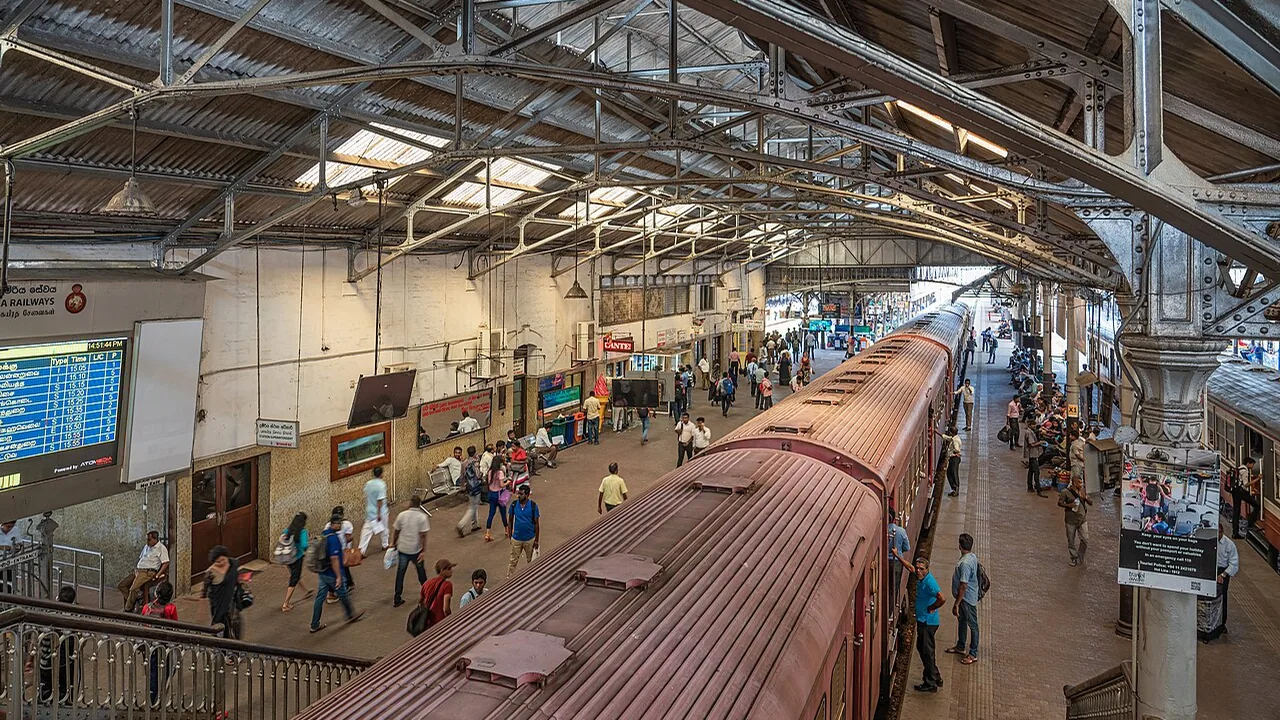
Before you search
Confirm your travel date and the railway stations, which may have different names from nearby towns. For Nuwara Eliya, search Nanu Oya. Check the railway timetable and current operator notices; changes and disruption can affect a journey.
How to book Sri Lanka train tickets online
- Choose the right stations and date. Match your planned route to the station names. For Nuwara Eliya, search Nanu Oya; for the capital, check whether your selected train leaves from Colombo Fort or another station.
- Open the official reservation site. Go directly to the Sri Lanka Railways seat-reservation platform, create an account or log in, and follow the current instructions on screen.
- Search your journey. Enter the departure and arrival stations, travel date and number of passengers. Review the available service and class; the options shown depend on the train and remaining reservable seats.
- Enter and check passenger details. Use the required passport or NIC details and an email address you can access during your trip. Check spelling, direction, date, train and class before proceeding.
- Review the total and conditions. Check the fare, any service charge, cancellation terms and ticket instructions shown by the railway before paying. A private driver quotation does not include a train seat unless your written quotation explicitly says so.
- Pay and verify confirmation. Complete payment on the official platform and check the confirmation and emailed e-ticket. According to the railway FAQ, seats are confirmed after successful payment; an unpaid selection is not a reservation.
- Prepare for the station. Save the confirmation, check the boarding station and carry the identification associated with the booking. The railway FAQ says the standard e-ticket can be shown digitally or printed; follow the instructions on your own ticket.
When to book and what to bring
The official FAQ currently says reservations can be made up to 30 days before travel and permits a maximum of five seats in one transaction. It also says online reservations can be made until two hours before departure, subject to availability. Rules can change, so verify the current terms before booking.
The railway requires passenger NIC or passport details. Its standard online-reservation FAQ says the emailed e-ticket may be presented digitally or printed at home. Carry the identification associated with the reservation and follow the instructions on your ticket.
Class, seating and availability
Available classes depend on the train. The railway FAQ lists observation, air-conditioned saloon, second class and third class among reservation types, but not every train offers each option. The platform allocates seats automatically rather than letting customers choose individual seats.
If no reserved seats appear, the official FAQ suggests checking another train or date or contacting an enabled railway station. Do not assume that a sold-out online result guarantees another ticket type or an alternative service.
Charges, changes and support
Review the total and current convenience charges before paying. Cancellation and refund terms depend on circumstances and timing; consult the official FAQ and contact Sri Lanka Railways directly if you need a change or have a payment problem. Terms for special railway warrants differ from ordinary tourist reservations.
Our website provides private-driver and transfer enquiries. It is not the official railway ticketing system, and a vehicle quotation does not reserve a train seat.
What if Sri Lanka train tickets are sold out?
A search with no reservable seats is not the same as a notice that all trains have stopped. Check your station names, date and passenger count, then look for another service or another travel date. Sri Lanka Railways also advises contacting an enabled station. Before changing hotels or paying for another arrangement, confirm what is actually available.
If the train no longer fits your plans, compare a shorter section or a road journey. Our guide to scenic train rides explains how to choose, and our train and private-driver guide covers station pickup and luggage.
Book safely and avoid misleading ticket offers
For the official online system, start from the Sri Lanka Railways reservation website or the railway’s own website and check the address carefully before entering passenger or payment information. A search result, advertisement or message offering a ticket is not proof that it is an official railway service. Review who is selling the ticket, the final charge and the refund terms before using any third party. The Sri Lankan High Commission has also warned about fraudulent train-booking websites.
Never send your password or full payment-card details in an email, message or driver enquiry. If a payment appears to have gone through but confirmation is missing, check your email and contact the railway through its official channels before attempting to pay again. Keep relevant reference information, but do not share sensitive card details.
Frequently asked questions about Sri Lanka train booking
Can I book Sri Lanka train tickets before arriving?
The railway operates an online reservation platform for available services. The booking window and availability are set by the railway; check its current FAQ and search the exact date. A planned journey is not confirmed until the railway’s booking and payment process is complete.
Can I choose a specific window seat?
The operator’s FAQ says the system assigns seats automatically. Do not assume a particular side, window or group of adjacent seats will be available.
Does a driver booking include my train ticket?
A driver quotation is for the agreed road service. A railway ticket is separate unless it is explicitly included in the written quotation; booking a driver alone does not reserve a train seat.
What if my train is disrupted?
Check the railway’s current notices and follow its instructions for your ticket. Contact your accommodation and driver separately to agree changes to pickup or your route. A change to one booking does not automatically change another.
Fees, cancellation and refunds
The railway FAQ currently lists a convenience fee for online purchases. It also describes a timing-based refund schedule for ordinary reservations and says the service charge is excluded. Check the latest operator terms before payment, because fees and conditions can change. If the train is cancelled, follow the operator’s specific cancellation guidance rather than assuming the usual voluntary-cancellation rules apply.
For ordinary cancellations, the FAQ currently directs passengers to an mTicketing-enabled station with identification details. Keep the ticket and confirmation available, and confirm any necessary documents directly with Sri Lanka Railways.
After payment and common booking problems
Check that the confirmation email contains the expected date, train, passenger names and route. If a card is charged but a reservation is not completed, use the official platform’s contact option and the details it requests. Do not send full card numbers or passwords in an enquiry. A successful payment message and the railway’s confirmation are the relevant checks; a screenshot of a selected seat alone is not confirmation.
The official FAQ explains that an invalid email address can prevent delivery of the e-ticket. Check spelling before paying and use an email account you can access during the trip.
Return journeys and groups
The railway platform supports a return option when available. If the return party or boarding location differs, the operator’s FAQ says to make a separate reservation. The current five-seat transaction limit means larger parties should review the official instructions for arranging everyone’s seats; seats are automatically allocated and adjacent seating cannot be assumed.
Check each leg independently when planning a journey such as Kandy to Ella and a later onward transfer. Booking one leg does not reserve the rest of your itinerary.
Train ticket help for our driver-service customers
If you book our private-driver service, you can ask us to help arrange your train tickets alongside your itinerary. Tell us your dates, route, passenger count and preferred class. Railway services and seats are subject to operator availability, rules and confirmation; we cannot guarantee a ticket or seat before confirmation.
Train fares are separate from private-driver hire unless your written quotation explicitly includes them. We will explain any applicable booking-assistance and road-transfer charges before you agree. Do not send passwords or full payment-card details in a standard enquiry. Ask us about your trip.
